
Once the settings have been established, information can be imported.
- The Transfer Employee Information tab opens by default upon login.
- Select a Date Range from the dropdown list on the main screen.
- Select the From (start) and To (end) dates and times.
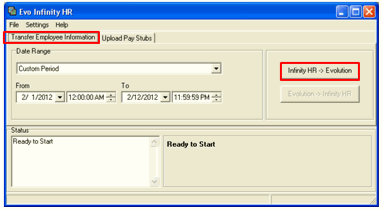
- Click the InfinityHR > evolution button.
Result: the status information will be displayed in the Status textbox.