
When exporting from AccountLinx, you may receive an error indicating that export was not successful and that AltovaXML is not installed like below:
Export Error! Records before error have not been exported!
Error Description: AltovaXML is not installed. Please install it and try the export again.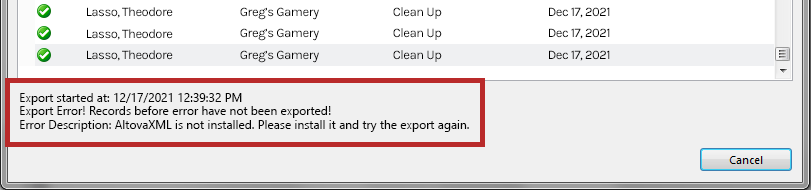
This is due to a missing third-party application that we rely on for exporting called Altova. When installing AccountLinx, Altova is generally installed as well, but there can be instances where Altova is not installed as expected.
To resolve this, you can simply try to install Altova again.
- Download Altova with the following link.
- Run/install AltovaXML2010.exe as you would installing any other application. Depending on your computer/company's security protocols, you may need to consult your IT Professional for assistance.
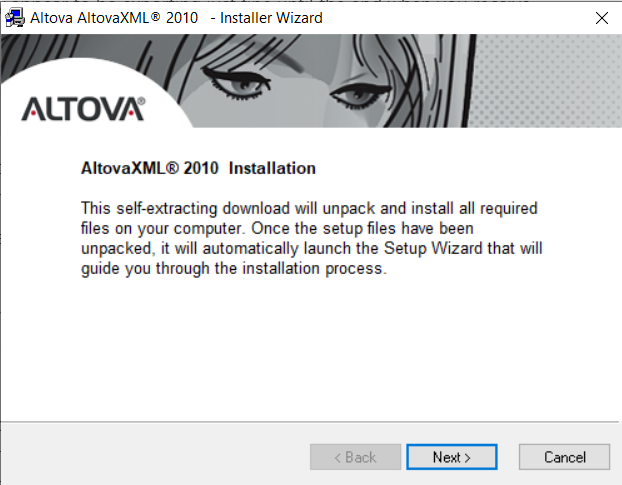
- After Altova has been installed, open AccountLinx and try to perform the export again.
- If you encounter any further trouble when exporting, please document/screenshot the error message(s), what led up to the error message, and request additional support from us.
Troubleshooting Invalid Drive Error When Installing Altova
When trying to install Altova, you may encounter an issue relating to an invalid drive such as:
Invalid Drive Z:This is generally due to Altova detecting that the reported drive is a network drive and could also be the reason for Altova not being installed initially with AccountLinx.
It is best to refer to Altova's support documentation for assistance on how to resolve this. Depending on your computer/company's security protocols or if you are unfamiliar with the support steps provided by Altova, you should consult your IT Professional for assistance.